


What needs to improve?
Decide whether the priority is comfort, more usable desk space, easier screen positioning, organization, movement, lighting, or privacy.


Enter keywords to explore workspace solutions.
Buying Guides
Buying for a workspace becomes easier when you start with the problem you want to solve. These guides help you compare desks, seating, screen support, input devices, organization, comfort, lighting, and privacy around the way your space actually needs to work.
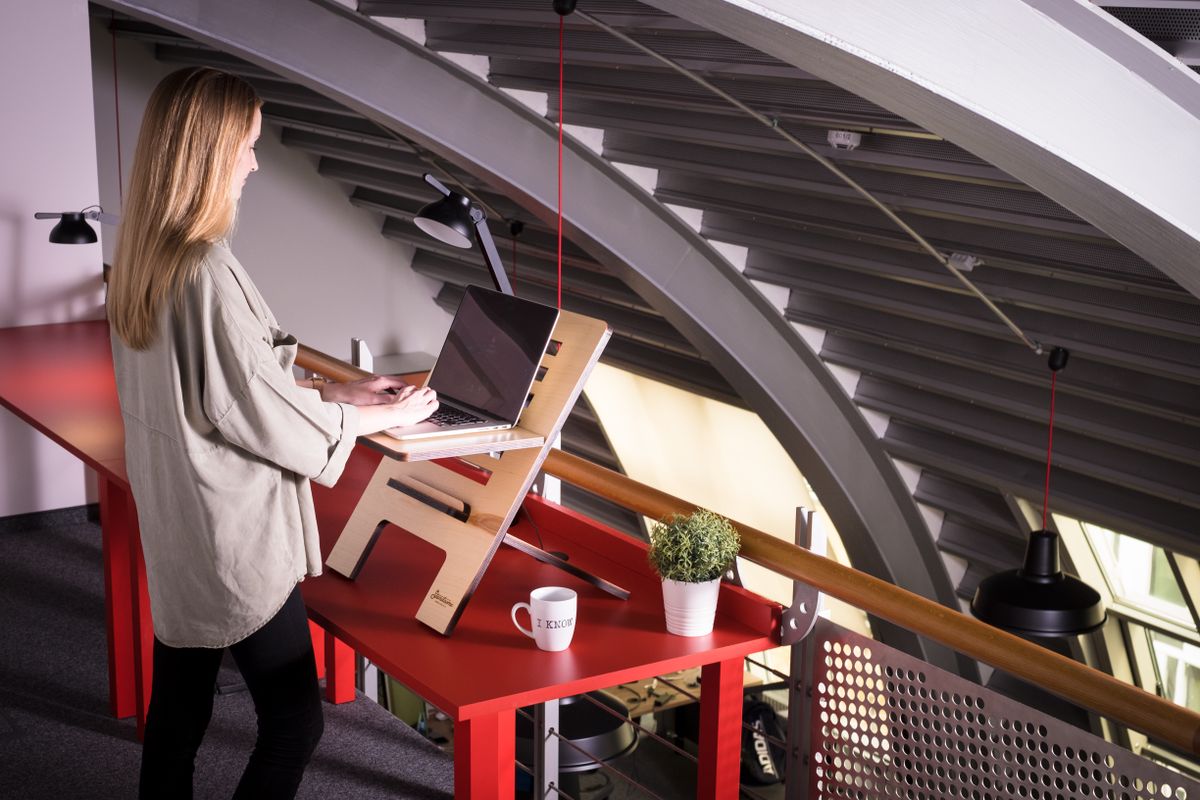
Start with the workspace need, compare the features that matter, then check fit before deciding.
Guide Directory
Use the guide that matches the decision in front of you. Each section focuses on what to consider before choosing rather than pushing one setup for every workspace.
Buying Framework
Product specifications matter, but the most useful decision usually starts with the workspace itself. Use these questions to narrow the options before comparing individual features.
Decide whether the priority is comfort, more usable desk space, easier screen positioning, organization, movement, lighting, or privacy.
Consider the room, desk dimensions, chair space, device size, monitor count, cable layout, and the other products already in the setup.
Think about daily duration, whether positions change, how frequently the product will be adjusted, and which tasks happen most often.
Favor products that can continue to support the workspace as devices, routines, layouts, or working positions change.
Desk Buying Guide
The desk is the foundation of the setup. Before choosing between a standing desk, corner desk, or compact design, look at footprint, usable surface area, movement around the room, and how much equipment the desk needs to support.
Seating Buying Guide
The right chair or active stool should work with the desk height and the way you prefer to sit, move, or change position. Look beyond appearance and consider the adjustments that affect everyday comfort.


Screen & Input Buying Guide
Monitor arms, laptop stands, ergonomic keyboards, and vertical mice all influence the working position. The best choice depends on device dimensions, available desk space, adjustability, and how often the setup needs to change.
Confirm the arm is appropriate for the monitor size, mounting arrangement, and the range of movement you actually need.
Look for a stand that supports the laptop securely while placing the screen where it works with your keyboard and mouse setup.
Consider footprint, key layout, desk space, and whether the design supports a more comfortable typing position for you.
Size, grip, button placement, and sensitivity controls can matter as much as the vertical shape itself.
Organization & Comfort Guide
Smaller workspace products are most effective when they have a specific role. Instead of adding accessories because there is room, use them to reduce clutter, centralize power, support the body, improve task lighting, or create privacy.
Choose storage according to the items that regularly compete for space on the desktop.
Look at the number of devices, where power enters the desk, and which items need frequent access.
Use comfort accessories when they solve a clear support or positioning need in the existing seating setup.
Choose around the room conditions, glare, shared-space activity, and the type of work happening at the desk.
The strongest workspace setup is not the one with the most accessories. It is the one where each product has a clear role and works naturally with everything around it.
Match the Setup
A useful buying guide should narrow the decision. These three setup directions show how different product categories can work together depending on the main goal of the workspace.
Prioritize products that make it easier to change height, viewing position, or working posture through the day.
Focus on compact furniture, elevated screens, contained storage, and cable control to preserve the usable work surface.
Refine lighting, privacy, screen placement, charging, and visual organization around the main work zone.
Buying Guide Categories
Use the category that matches the next decision in your workspace, then compare products by the role they need to play in the overall setup.
Need Help Choosing?
If you are comparing product types, reviewing an order, or need help with shipping, a return, or an exchange, Alignora support is available around the clock.